AI Chat
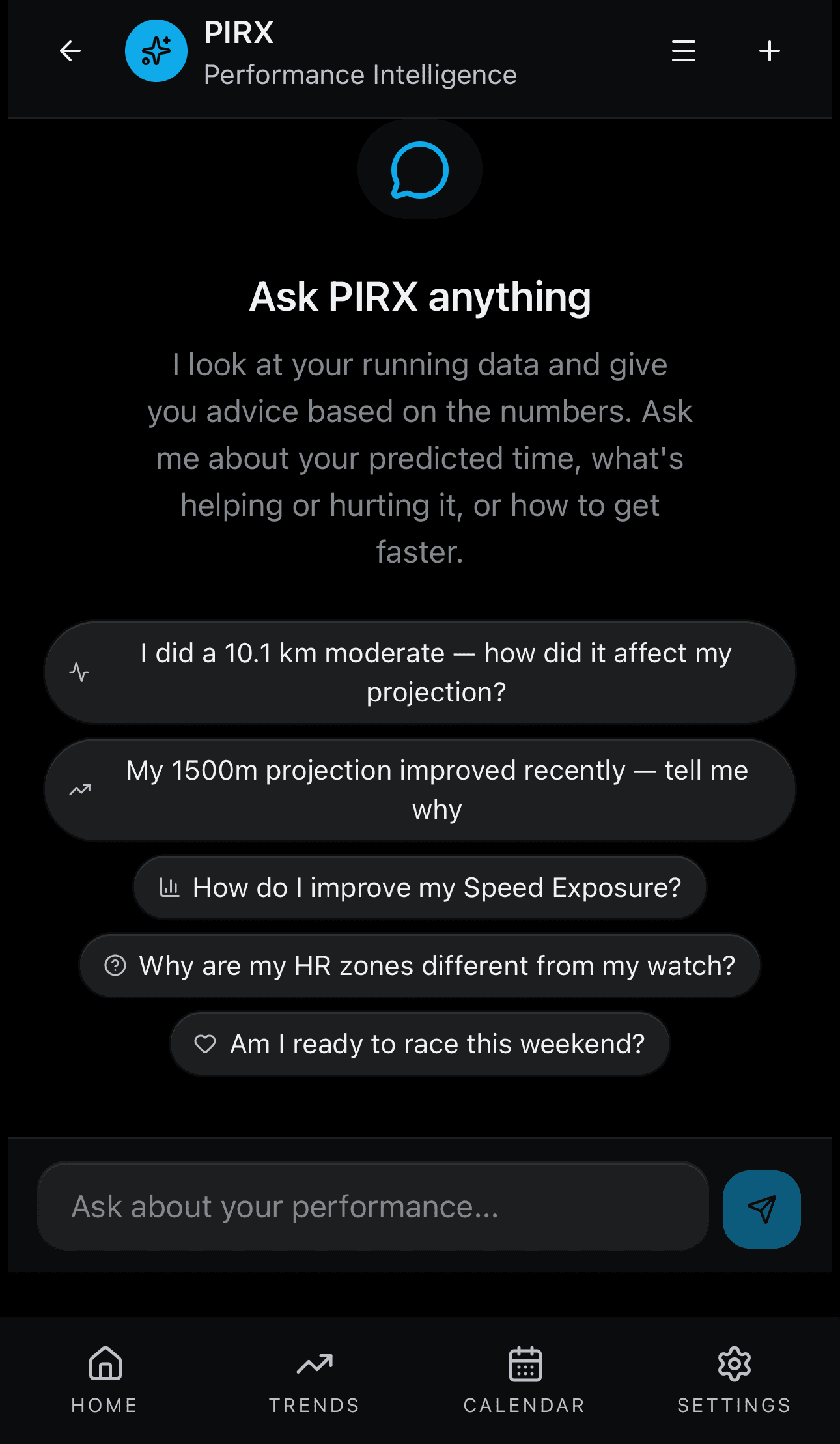
Source: src/app/(app)/chat/page.tsx
What You See
A full-screen chat interface. Your messages appear on one side and the AI's responses appear on the other. The AI's answers include bold text, bullet lists, and tables. While the AI is working, you see which analysis tools it is using (for example 'Analyzed: get_projection, get_improvement_plan'). Suggestion chips at the bottom offer common questions to get you started. A drawer on the side lets you switch between past conversations. A 'Stop generating' button lets you cancel a long response.
How the Numbers Work
The AI has access to 16 specialized tools that can look up your projection, drivers, readiness, training history, and more. When you ask a question, the AI decides which tools to use, gathers your data, and writes a personalized answer. Each conversation is saved as a thread so you can come back to it later.
Step by Step
Models & algorithms used: LangGraph, RAG, pgvector
Your message is sent over a streaming WebSocket connection to a LangGraph 1.0 stateful agent on the backend. The agent graph has an intent router that classifies your message and decides which of 16 custom tools to invoke (for example get_projection, get_drivers, get_readiness, get_improvement_plan, get_training_history, get_injury_risk, and more). Each tool queries your data directly from the database and returns structured results. For open-ended questions, a RAG (Retrieval-Augmented Generation) pipeline performs a pgvector semantic search over embedded training insights to find the most relevant context. The agent composes a personalized answer that streams back word by word using the Vercel AI SDK protocol. Conversation state is persisted to Postgres via AsyncPostgresSaver, so each thread maintains full history across sessions.