Lactate Threshold (Analysis)
Source: components/performance/lactate-threshold-tab.tsx
What You See
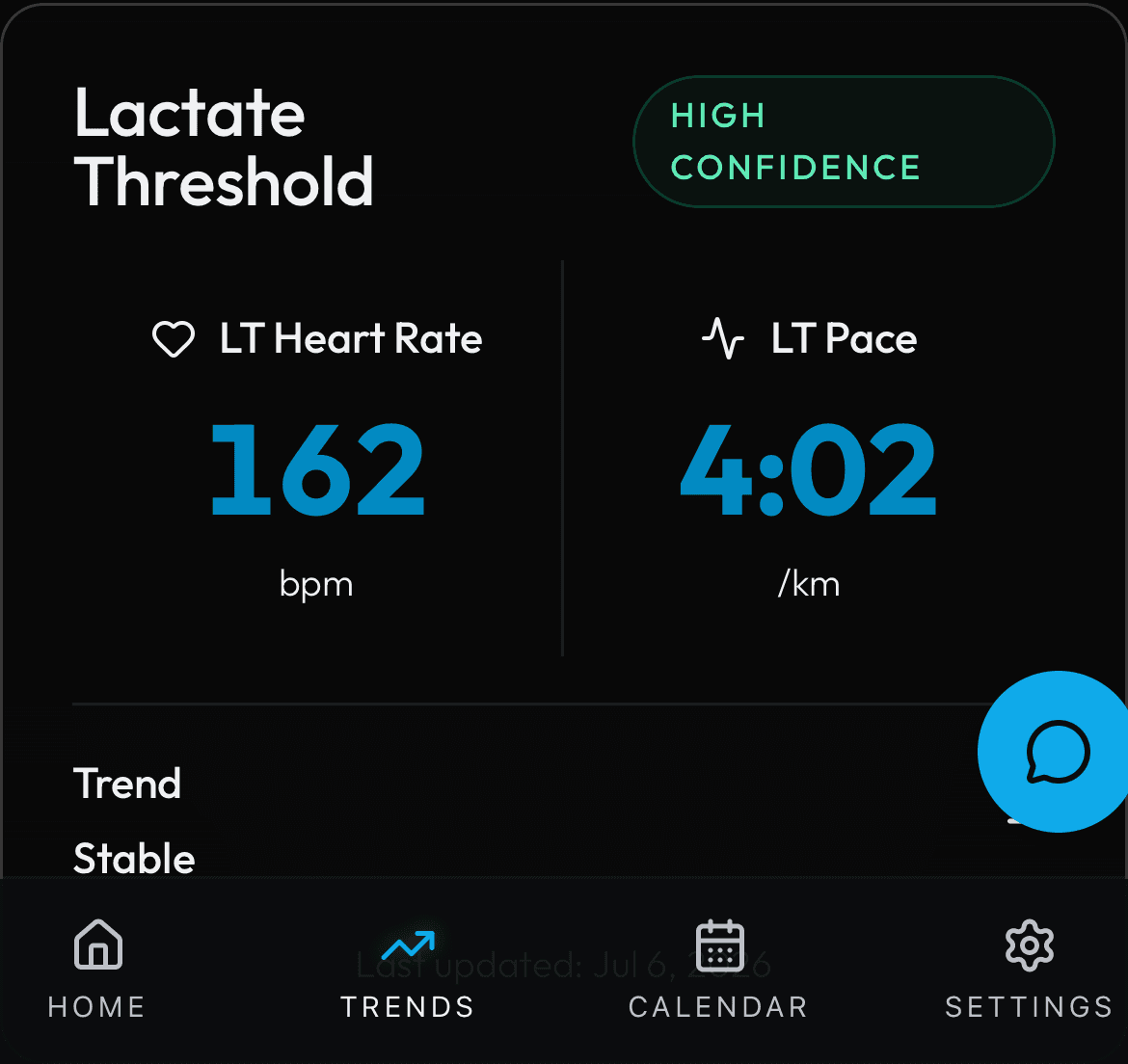
A card showing your estimated lactate threshold. Two large tiles side by side display: LT Heart Rate (in bpm) with a Heart icon, and LT Pace (in min:sec per km) with an Activity icon. Below those is a trend indicator showing whether your threshold is Improving (green arrow up), Stable (gray dash), or Declining (amber arrow down). A confidence badge at the top shows High, Moderate, or Low confidence. The date of the last update is shown at the bottom. If no lactate threshold data is available, an empty state message asks you to connect a watch that estimates LT.
How the Numbers Work
Lactate threshold is the exercise intensity at which lactate starts to accumulate faster than your body can clear it. It is a key marker of endurance fitness. Some wearable devices (like Garmin) estimate this from guided tests or daily training data. PIRX displays the wearable-provided estimates: the heart rate at threshold (typically 80-90 percent of max HR for trained runners) and the pace you can sustain at that heart rate. Improving means your threshold pace is getting faster or your threshold HR is staying stable while pace improves.
Step by Step
The backend reads lactate threshold data from the physiology or activity data normalized from your wearable. The response follows the LactateThresholdData interface: threshold_hr_bpm (number or null), threshold_pace (string in M:SS format or null), trend (improving, stable, or declining), timestamp (ISO date of last estimate), and confidence (high, moderate, or low based on how many recent threshold estimates are available). The trend is determined by comparing the last 3-4 threshold estimates: if the most recent pace is faster than the oldest, trend is improving; if slower, declining; if within a small margin, stable. Confidence is based on estimate count and consistency: high requires multiple consistent estimates, moderate requires at least two, and low is assigned when only one estimate exists. The component renders the values with null guards -- if threshold_hr_bpm is null, only the pace tile is shown and vice versa. If both are null, the empty state is displayed.