Running Economy (Analysis)
Source: (inline in performance/page.tsx)
What You See
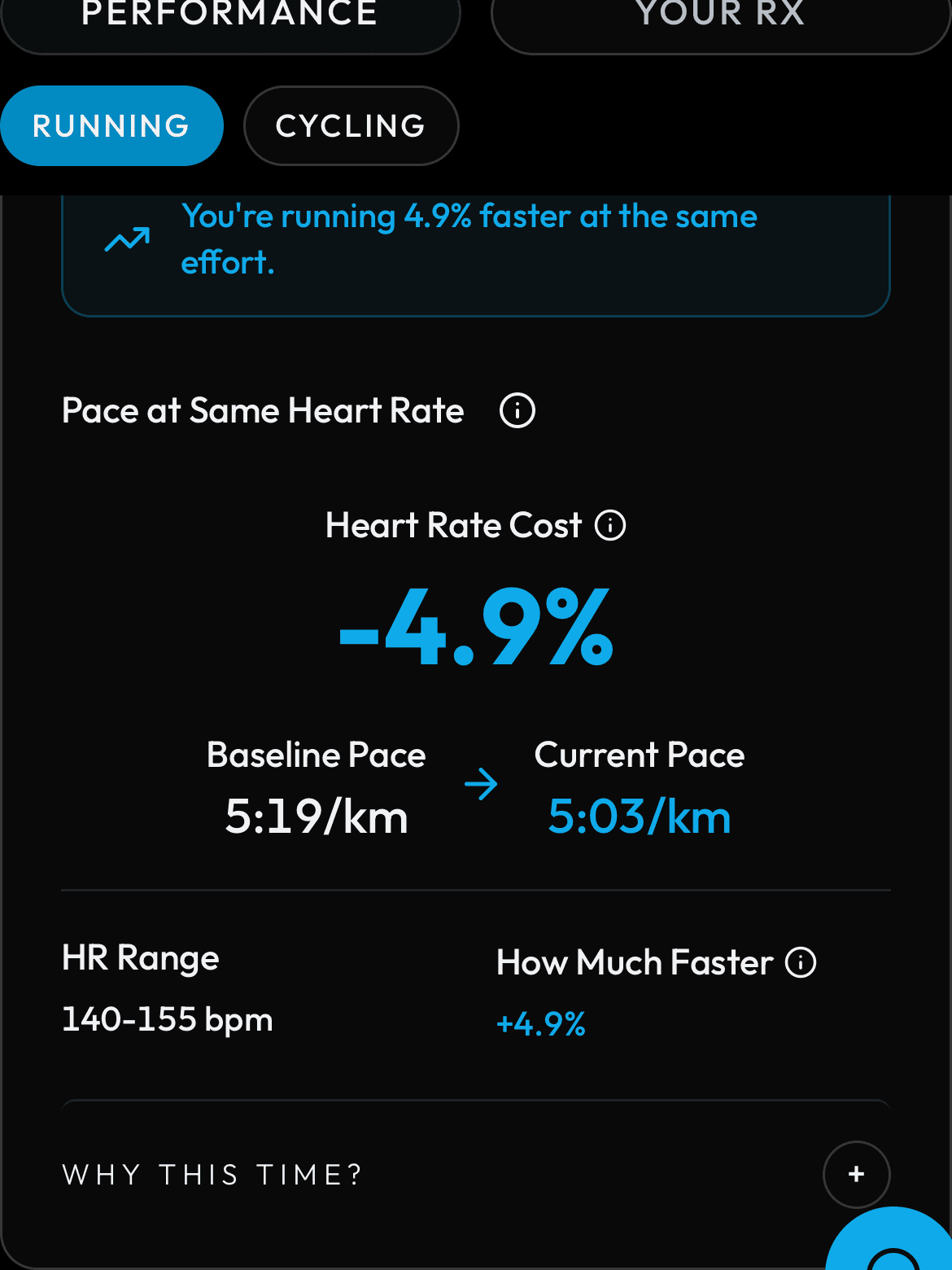
Shows your running economy by comparing baseline pace vs current pace at the same heart rate. Key numbers: Efficiency Gain (percentage), HR Cost Change (percentage), and a table of intensity levels with baseline, current, and delta values. A 'Why this number?' panel shows the formula used.
How the Numbers Work
Running economy means how fast you can run for the same effort. PIRX finds runs where your heart rate was in a matched band (for example 145-155 bpm) and compares the pace you ran at that heart rate now versus earlier. Efficiency Gain is: (baseline_pace - current_pace) / baseline_pace * 100. A positive number means you are running faster at the same effort.
Step by Step
Running economy compares pace at the same heart rate over time. The backend selects activities where the average HR falls within a matched band (default 145-155 bpm). Current pace = mean pace of matched sessions in the last 21 days. Baseline pace = mean pace of matched sessions from days 22-42. Efficiency Gain = (baseline_pace minus current_pace) divided by baseline_pace times 100. A positive number means you are faster at the same effort. HR Cost Change = (current_hr minus baseline_hr) divided by baseline_hr times 100. A negative number means your heart works less hard for the same pace. A minimum of 4 matched sessions is required in each window; if the recent window has fewer, PIRX splits the available sessions in half (recent half vs older half) as a fallback.